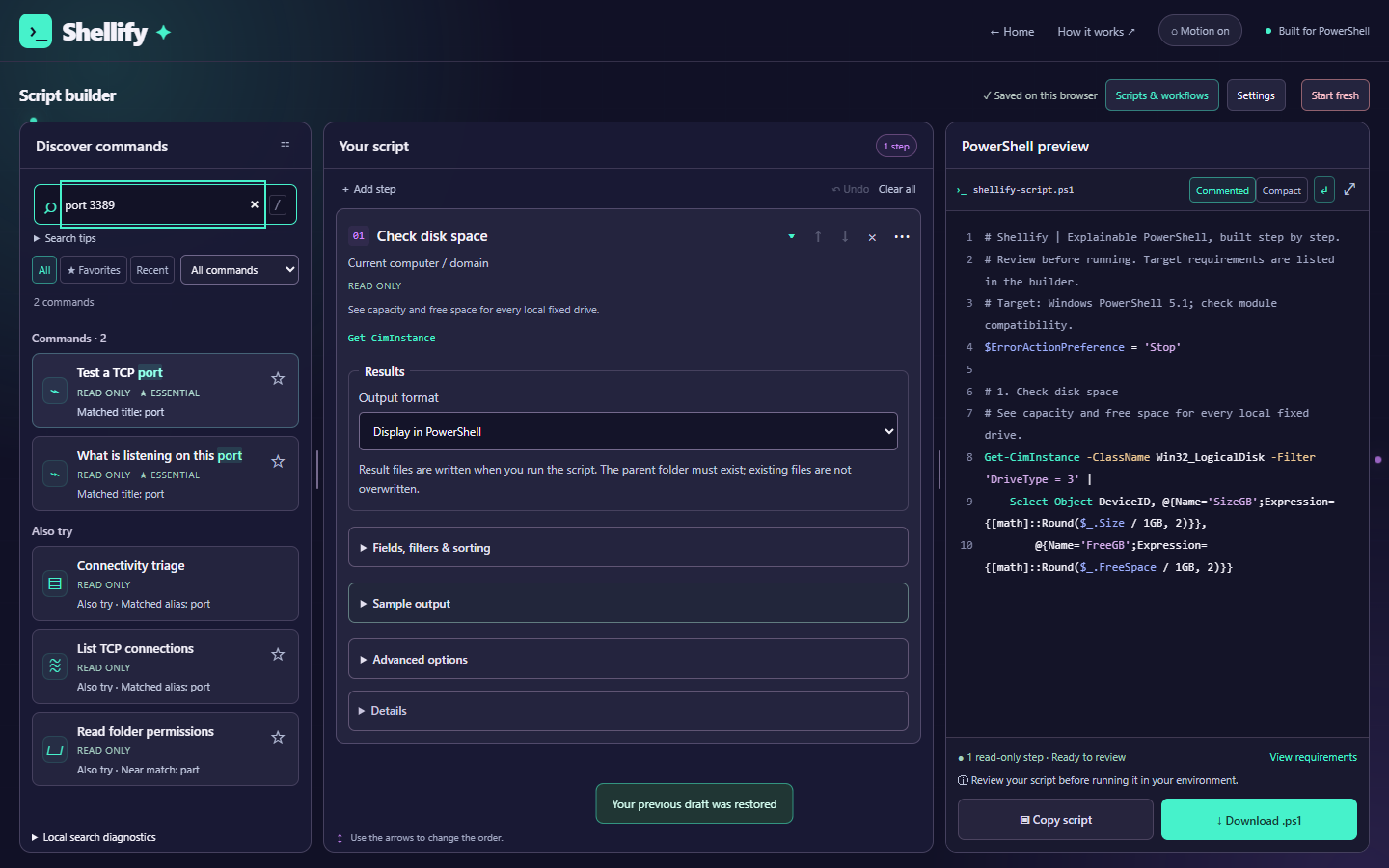
COMMAND DISCOVERY, CONFIGURATION, AND OUTPUT IN ONE WORKSPACE.
The problem
I was tired of prompting AI, filling in missing details, and researching commands for one-off problems. I wanted a more direct way to assemble a script and see what it would do.
Shellify serves beginners learning PowerShell and experienced IT professionals who want to build scripts more easily.
My role
I developed the technical scaffolding and product direction, shaped the UI/UX, and handled hosting. AI assisted with development, and I sought feedback from other IT professionals.
The contributions and practical outcomes here are my account of the project. Implementation details are grounded in the source linked below.
How a task becomes a script
01 / FINDChoose a task
Search the local command catalog.
02 / SELECTLoad a template
Use a supported command with defined parameters.
03 / CONFIGUREAdd your details
Validate inputs and assemble the script in your browser.
04 / REVIEWCopy the script
Review the PowerShell before running it yourself.
A deliberate tradeoff
I chose not to use AI to generate scripts at runtime. Shellify uses a local catalog of supported commands, validates the supplied values, and assembles PowerShell deterministically.
This makes output inspectable and repeatable. The tradeoff is scope: a task needs a supported template; arbitrary requests do not become new commands automatically. Deterministic output still needs review for the environment where it will run.
Fitting the builder on the screen while keeping it easy to navigate was my hardest design problem.
The implementation uses a viewport-height workspace, separately scrollable panels, and responsive panel layouts. Users can keep configuration and preview close together, though smaller screens require switching views or scrolling within panels.
FIXED SAMPLE / GENERATED FROM SHELLIFY’S EXISTING LOGIC
Find inactive AD users.
Choose “Find inactive Active Directory users,” keep the inactivity threshold at 90 days and maximum results at 100, then review and copy the output. This sample leaves domain controller and search base blank, using the current domain.
This is a fixed script, not an interactive generator. Nothing on this portfolio executes PowerShell or connects to a directory.
View the complete sample script
# Shellify | Explainable PowerShell, built step by step.
# Review before running. Target requirements are listed in the builder.
# Target: Windows PowerShell 5.1; check module compatibility.
$ErrorActionPreference = 'Stop'

Import-Module ActiveDirectory -ErrorAction Stop

# 1. Find inactive Active Directory users
# Review accounts with no recent directory logon activity.
# Requirements: Windows; RSAT ActiveDirectory module, a reachable domain controller with AD Web Services, and directory read permissions. Use Windows PowerShell 5.1, or PowerShell 7 with a compatible RSAT module. Uses the account running the script.
Search-ADAccount -AccountInactive -UsersOnly -DateTime (Get-Date).AddDays(-90) -ResultSetSize 100 -ErrorAction Stop |
    Select-Object Name, SamAccountName, Enabled, LastLogonDate, DistinguishedName
Requires Windows, a compatible RSAT ActiveDirectory module, a reachable domain controller with AD Web Services, and directory read permissions. Replicated logon information can lag. Results are candidates for review, not proof that accounts should be removed. This query does not disable or delete accounts.
How it was checked
I ran Active Directory scripts in my work environment and tried other scripts on my work computer.
The repository also includes automated checks for template generation, parameter validation, quoting, search matching, and AD query limits. During this portfolio update, all 12 tests in the engine suite passed. These tests verify generation behavior; they do not establish that every generated script works in every environment.
Using Shellify helped me identify unused applications I wanted to uninstall and supported my Active Directory cleanup at work. These are qualitative, personally observed results; no time savings or adoption metrics are claimed.
Output verbosity remains a concern for me. The inspected version includes result formatting and export controls for supported commands, so formatting support varies by command and configuration. The inactive-user sample here uses the default output.
Shellify builds scripts; users review and run them in their own environment. Its catalog and prerequisites bound what it can support.